
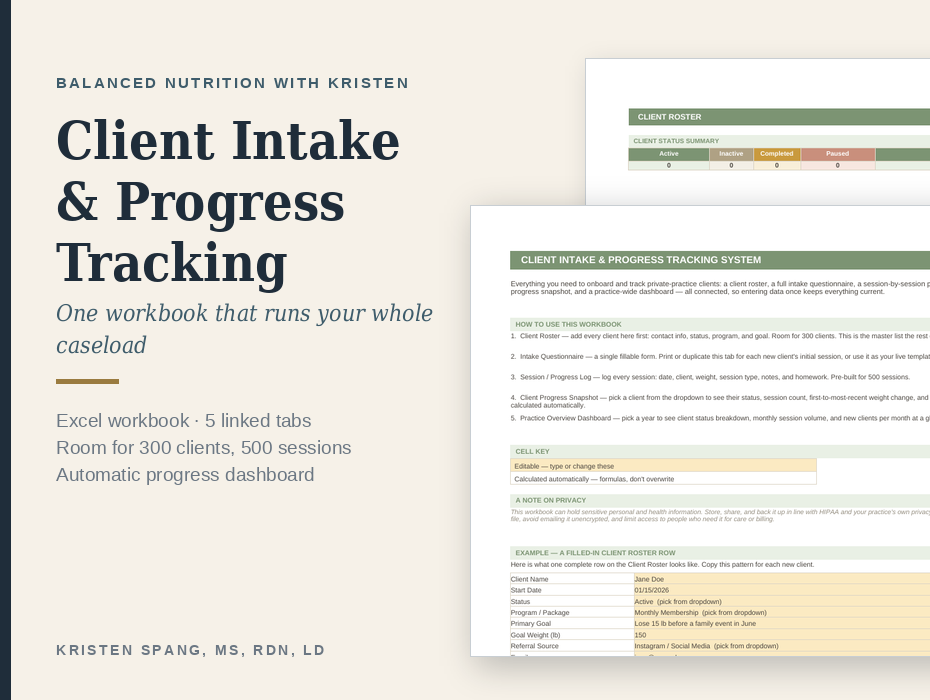
One workbook that runs your whole caseload
Most private practice tracking is spread across a scheduling app, a notes document, a spreadsheet someone started two years ago, and memory. This replaces that with a single Excel workbook where entering a client once keeps everything else current.
Features:
- There are five connected tabs.
- A client roster holds contact details, status, program and goal for up to three hundred clients.
- An intake questionnaire gives you a fillable form to use at a first session or duplicate per client.
- A session log holds five hundred sessions with date, weight, session type, notes and homework.
- A client progress snapshot lets you pick any client from a dropdown and see their status, session count, weight change and progress toward their goal, all calculated for you.
- A practice dashboard shows client status breakdown, monthly session volume and new clients per month for a chosen year.
- Every cell is color-coded so you always know what to type in and what calculates itself.
- Nothing is locked or password-protected, so you can add columns, change dropdown options, or remove a tab you do not want.
- It holds personal and health information, so the workbook includes a note on storing and sharing it in line with HIPAA and your own privacy policy. It is a tracking tool rather than an EHR, and it does not pretend otherwise.
What’s inside
Five linked tabs: Client Roster (300 clients), Intake Questionnaire, Session / Progress Log (500 sessions), Client Progress Snapshot with automatic calculations, and a Practice Overview Dashboard. Excel .xlsx, works in Excel and Google Sheets.
You must log in and be a buyer of this download to submit a review.